Reuse the lessons from a retired OpenClaw operation.
The OpenClaw runtime I operated is retired. This kit preserves the templates, checklists, scripts, cron examples, and safety rules from that documented 2026 period for readers adapting the methods to a current agent stack.
Full PDF + Starter Kit ZIP: $99. Use code FIRSTFLIGHT for 30% off.

163-page field guide plus editable templates, checklists, scripts, and cron examples.
Most AI-agent setups stall right after install.
Installation is only the start. Useful agents need repeatable jobs, verification, cost controls, and clear boundaries.
Chats do not compound
Without memory and workflows, every session starts from zero.
Automation needs gates
Sub-agents, APIs, browsers, cron jobs, and live tools need limits.
Agents need jobs
Briefs, audits, code review, research packets, and status reports beat vague magic.
A field guide plus files you can use.
Copy working patterns instead of starting from a blank setup document.
Templates
- Agent identity and operating rules
- Project lane and weekly ship board files
- Memory/context patterns that reduce babysitting
Checklists
- Security and readiness gates
- Cron noise diet rules
- Public-action and purchase preflights
Local scripts
- Smoke-test your workspace
- Audit cron noise before Telegram turns into confetti
- Generate a weekly ship board
Cron examples
- Recurring autonomous runs
- Self-contained prompts
- Reports that wake you up with decisions, not sludge
Safety and cost control
- Secrets boundaries
- Live-action safety gates
- Provider choice and token-burn rules
Search-only test plan
- No PMax until purchase proof
- Exact/phrase keywords only
- Kill conditions before spend gets stupid
Included Operator Kit ZIP
Editable templates, checklists, cron examples, local scripts, and a search-only ad test plan—packaged to shorten setup and review time.
- Agent identity and project-lane templates
- Weekly ship board template
- Operator readiness checklist
- Security and noise-diet checklists
- Local smoke-test and cron-noise audit scripts
- Search-only exact/phrase ads test plan
See inside before you buy.
Inspect the cover, table of contents, interior detail, kit contents, and free sample before checkout.
The full product is a 163-page PDF.

Fifteen chapters covering memory, cron, security, sub-agents, cost, and monetization.

Config patterns and rules for safer operation.
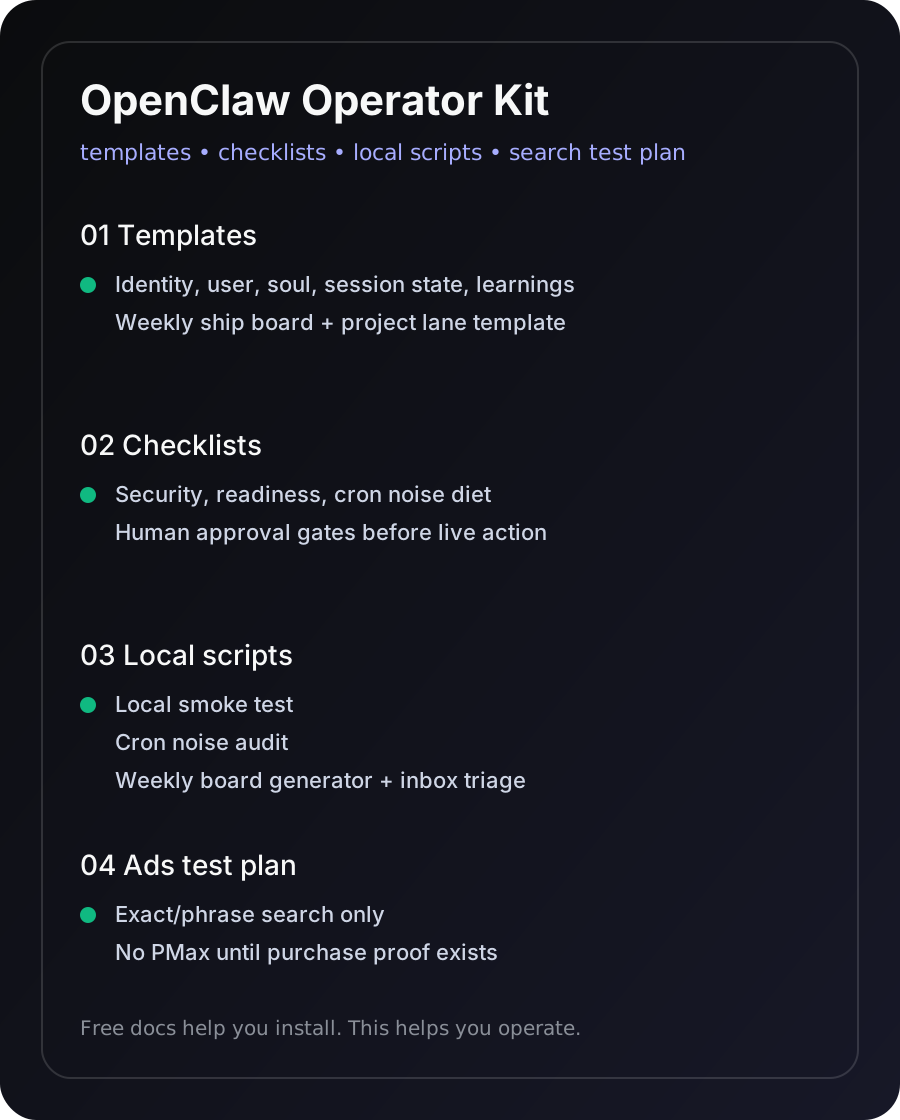
Templates, checklists, scripts, cron examples, and an ads test plan.
Example workflow: Overnight Leverage Scout.
Give the agent a read-only mission: scan active projects, rank the next actions, and write a morning report with explicit status labels.
Documented from 2026 operator work.
The kit turns lessons from real projects, launches, audits, and paper-only market tests into reusable operating rules.
For operators. Not tourists.
Know whether the kit matches how you want to work before checkout.
For you if
- You use ChatGPT, Claude, Codex, Cursor, Hermes, OpenClaw, or local agents
- You want repeatable workflows instead of random chats
- You care about execution, verification, and safety gates
- You are willing to wire tools, accounts, files, and routines together
Not for you if
- You want magic passive income
- You want a generic prompt pack
- You refuse to review outputs or set boundaries
- You expect an agent to know your life without giving it context
Questions before checkout.
Is this only for OpenClaw?
No. The examples come from my OpenClaw workflows operated in 2026; that runtime is now retired. The broader method can be adapted to Hermes, Claude, ChatGPT, Codex, Cursor, and other tool-using agent stacks, but current interfaces and commands may differ. Compatibility with current runtimes is not verified.
Do I need to code?
No coding is required for the core workflows, but you do need to be comfortable following setup steps, editing config-style text, and reviewing what your agent does. If you want zero setup, this is not your thing.
Is this a prompt pack?
No. Prompts are included where useful, but the playbook is mostly operating system: context files, memory, cron jobs, delegation, safety rules, verification, and deciding what not to automate.
What is included?
A 163-page PDF plus a Starter Kit ZIP with templates, checklists, cron examples, local scripts, and a search-only ads test plan.
What format do I get?
Gumroad delivers a PDF plus Starter Kit ZIP. There is no EPUB. The 16-page sample shows the style before purchase.
What is the refund policy?
At publication, the Gumroad checkout states a 30-day money-back guarantee.
Use the dated field guide without repeating the expensive lessons.
Inspect the free sample first. If the 2026 examples fit your needs, copy the Operator Kit files and adapt the safety rules to your current stack.